Built into Merx
Receive camera events on WhatsApp. Set the event that triggers the automation and where Merx should send the notification.
MEET MERX AI
WhatsApp and Gmail, built into Merx. Automate the delivery of your camera events by WhatsApp and email.



 Coming soonApp StorePróximamenteApp StoreEm breveApp Store
Available on Google Play for Android · iOS coming soon
WhatsAppNative
 GmailNative
 Grok Bot
The power is in Merx. The control is yours.
One device. Your cameras. Endless possibilities.YOUR CAMERA, IN ACTION
Tell Merx what your camera should watch for and how you want to be notified. Automations send camera events by WhatsApp and email, with native WhatsApp and Gmail integrations.
Built into Merx
Receive camera events on WhatsApp. Set the event that triggers the automation and where Merx should send the notification.
Built into Merx
Automate camera event emails with Gmail. Define what matters and who should receive each notification.
Camera eventMerx automationWhatsApp or email
FROM THE FIRST STEP TO THE FIRST EVENT
Get the device, download the app and link them together. From there, the idea is yours. The work is Merx’s.
Connect the device to power and the internet. Then connect your camera to Merx.
Download Merx AI on your phone and link your device. It all starts in one place.
Write your request to the AI agent. It writes the code, installs it and configures the analysis on Merx.
Follow events in the app and automate delivery by WhatsApp or email with native WhatsApp and Gmail integrations.
YOUR AI AGENT
No coding skills needed. Describe what your camera should watch for and let the agent set everything up on the device.
I want AI to detect whenever someone comes through the door, count people and alert me when someone is wearing a white shirt.
You set the goal. I set up the analysis.
Illustrative examples of requests to the AI agent.
MERX AI APP
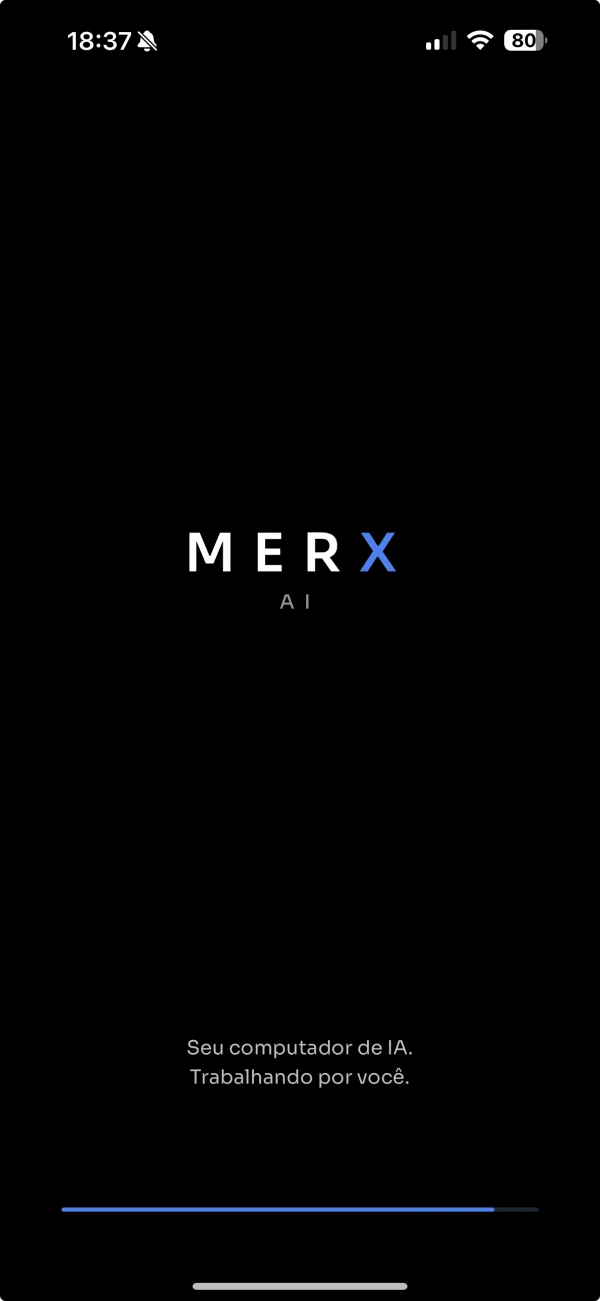
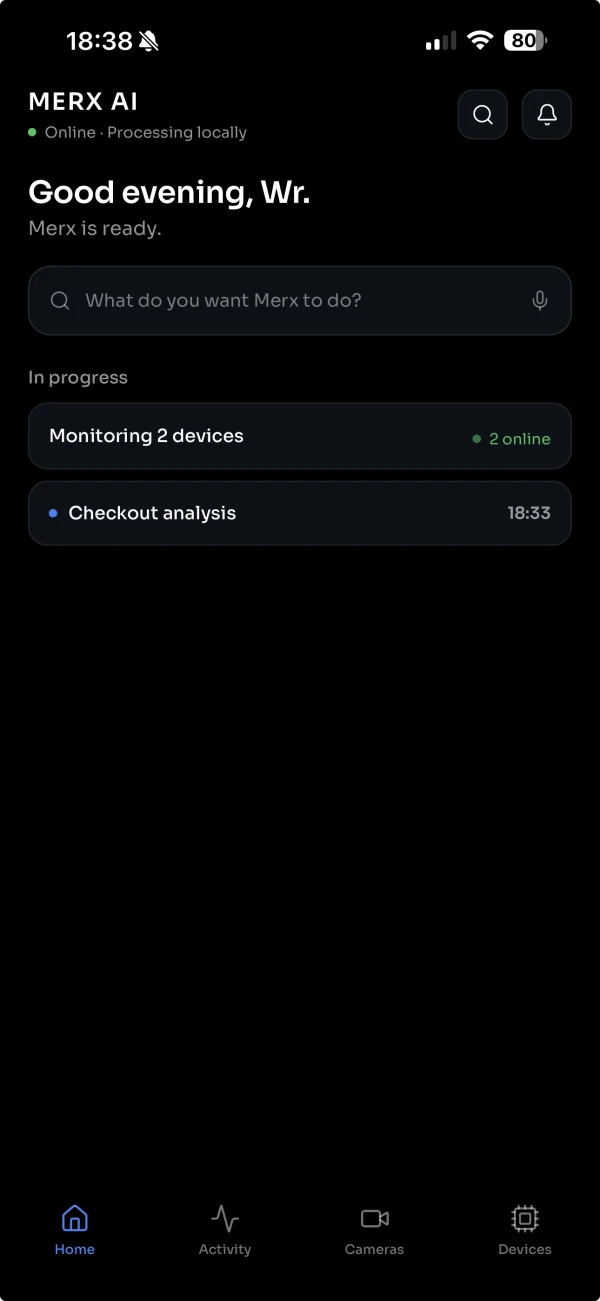
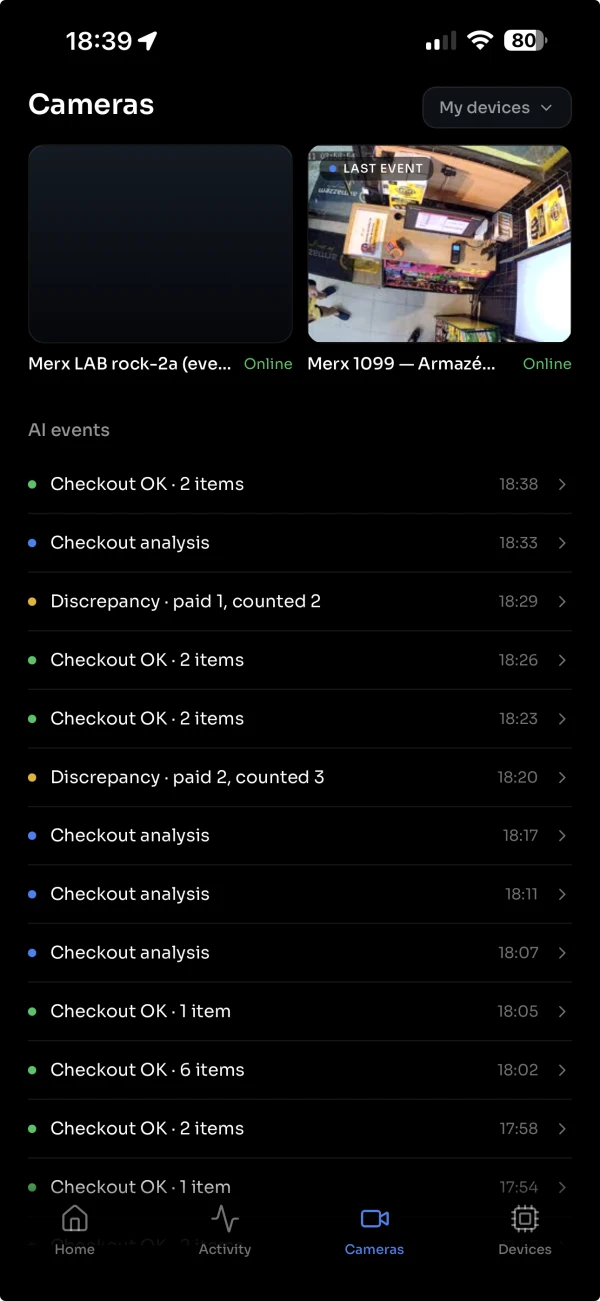
From the first command to the latest event. A simple experience for powerful intelligence.
See what is happening, follow your devices and keep your AI agent close at hand.
Coming soonApp StorePróximamenteApp StoreEm breveApp StoreAvailable on Google Play for Android · iOS coming soon
Actual Merx AI App screens.
LOCAL INTELLIGENCE
Camera analysis happens right on Merx. Your device does the work, and the app brings you closer to the results.
Camera processing on the device.
For processing your camera intelligence.
You choose what AI should look for.
TAKE A LOOK INSIDE
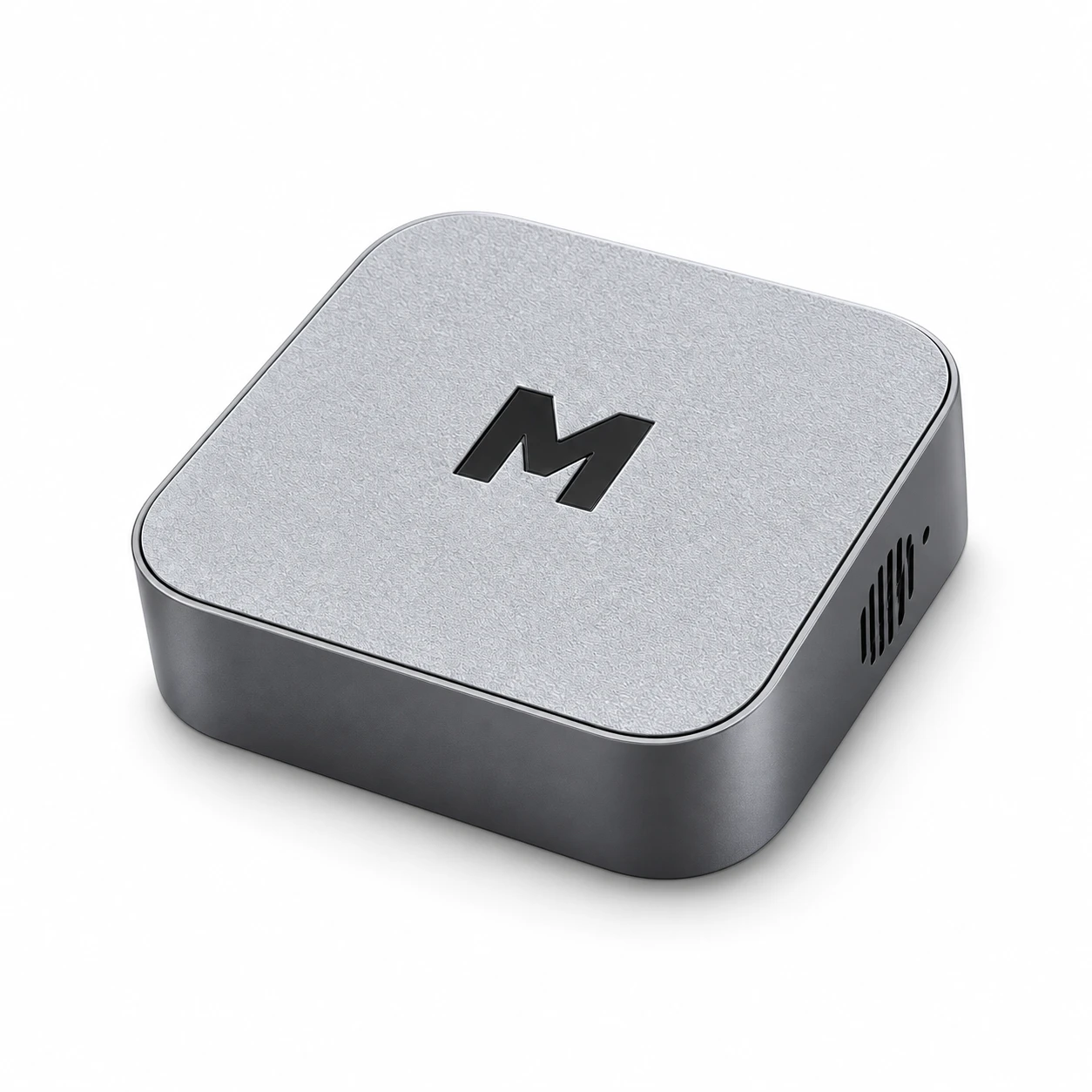
Merx brings processing, AI acceleration and connectivity together in one compact device.
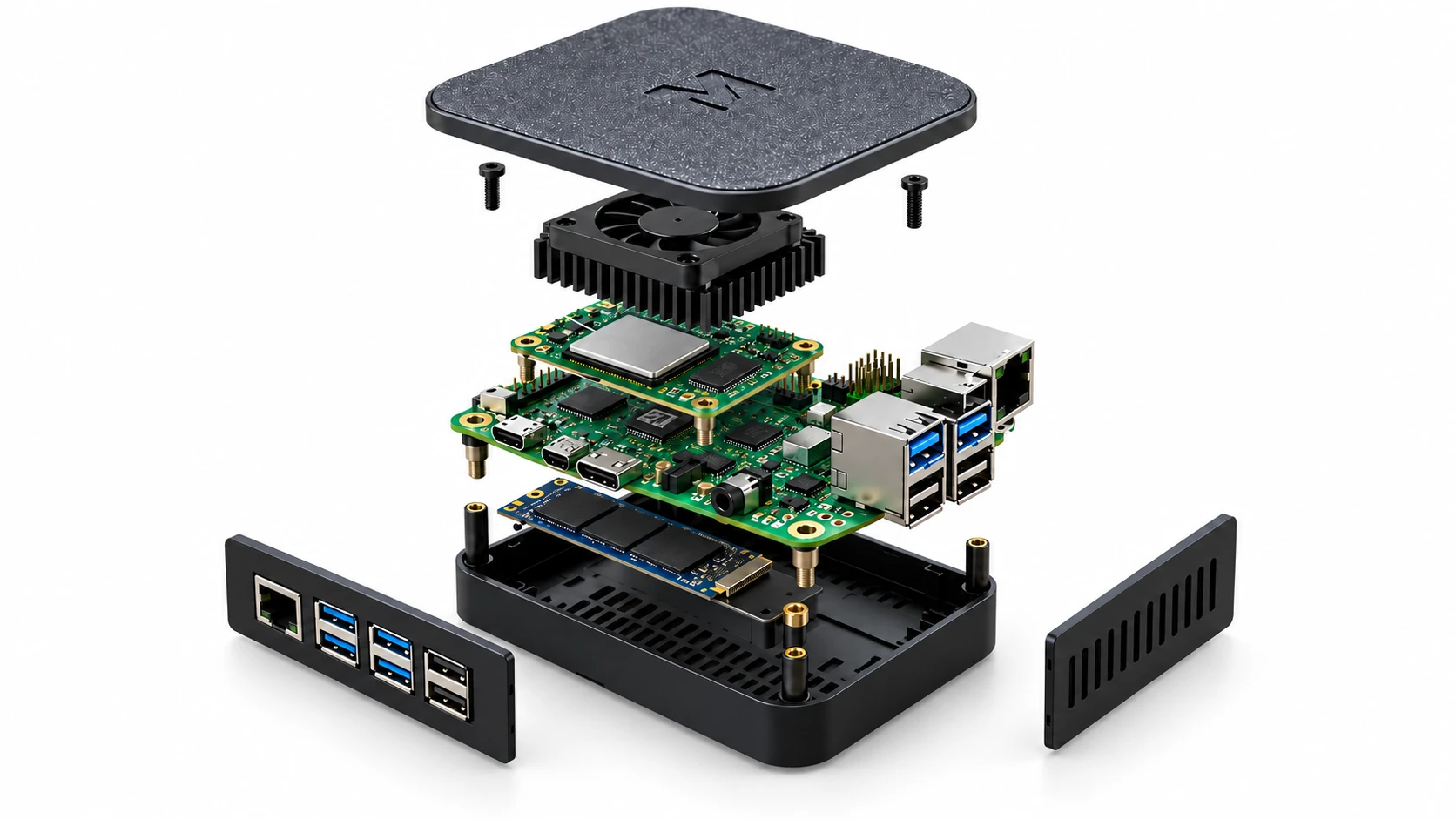
Device illustration. See the Amazon listing for the offered configuration and included components.
THE MERX FAMILY
Compare memory, AI processing and camera capacity. Find the Merx for your space.
Your starting point.
Local intelligence for smaller spaces.
Room to do more.
More power for busier environments.
Your largest projects.
More cameras. More possibilities.
BRING YOUR IDEAS TO LIFE
Explore the possibilities here. Find your Merx on Amazon.
COMPACT EDGE AI COMPUTER
Turn your IP cameras into a source of intelligence. A compact computer for local video analysis, connected to the Merx AI App.
Check price, availability and delivery options on Amazon.com.
See the listing for specifications, included items and purchase terms.
Review the product details and availability for your location.
Choose delivery options and complete payment directly on Amazon.
When your device arrives, connect it and get started with the Merx AI App.
Find Merx through the Amazon link on this website. Once your device arrives, connect it to power and the internet, and connect a compatible camera. Link the device in the Merx AI App and tell the AI agent what you want to analyze.
No. Explain your goal in everyday language. The AI agent writes the code and prepares the configuration on Merx.
On the Merx device itself. AI camera processing is local, with no cloud processing costs. The app lets you configure your device and view its events.
The Merx AI App is now available on Google Play for Android, with interfaces in Portuguese, English and Spanish. The iOS version is coming soon.
Merx purchases are made on Amazon. Every “View on Amazon” button takes you directly to the product listing. You can explore the device, see app demos and learn how it works here.
Visit the listing on Amazon.com and select your delivery address to check availability, price, shipping and purchase terms. If the product is unavailable, check the listing again later. This website does not take payments or reservations.
MERX AI
Your camera events. On your WhatsApp. In your inbox.
View on AmazonComing soonApp StorePróximamenteApp StoreEm breveApp StoreAvailable on Google Play for Android · iOS coming soon